Realistic Plane Crashing RPCS Controls & Flight Tips
Master Realistic Plane Crash Simulator’s difficult flight model with drills, camera habits, and crash-aim techniques.
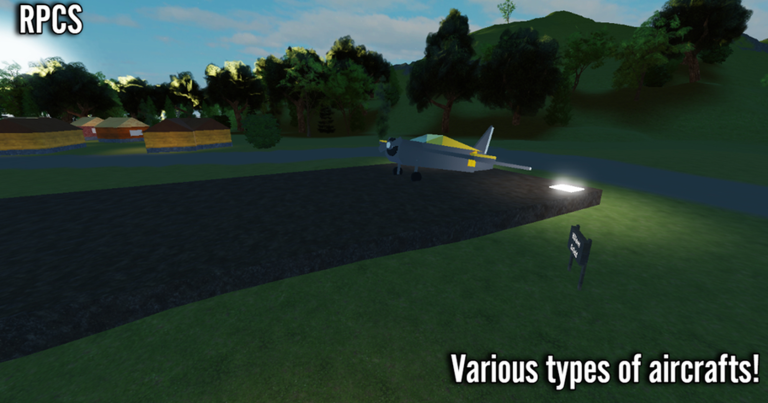
The Controls guide exists because Realistic Plane Crash Simulator tells you up front that flying feels bad — meaning hard — while crashes feel real. This page turns that warning into a practice plan for Realistic Plane Crashing players on Roblox.
Mindset before keybinds
RPCS is not Pilot Training Flight Simulator. You are not graded on ILS approaches. You are graded on whether you can point a mass of metal at an interesting piece of terrain and enjoy the breakup. Still, basic authority over pitch, bank, and throttle separates random ocean respawns from staged shots.
If you have not finished Getting Started, do that first so you know the spawn menu.
Platform basics
PC — keyboard for throttle/pitch/yaw style inputs plus mouse look gives the best precision for ridge clips.
Controller — analog sticks help smooth pitch; keep sensitivity mid-range so fighters do not telegraph every twitch.
Mobile — on-screen sticks work for cars and simple hops; film serious airliner takes on PC when you can.
Exact default key labels can vary with Roblox device templates and any custom rebinds you set in the Roblox settings menu. Check in-game prompts after spawning each vehicle class — planes, helicopters, and ground vehicles do not share identical verbs.
Practice drill ladder
Drill 1 — ground taxi awareness
Spawn a car. Drive a full island loop. Learn where cliffs, beaches, and short strips sit. This builds the mental map used later in the Map guide.
Drill 2 — short hops
Spawn a light GA plane. Take off, count to five, land or crash on the same island. Repeat until your hands stop over-pulling pitch at rotation.
Drill 3 — aimed impact
Pick a bright cliff. Approach wings-level with modest throttle. Try to hit the same rock three times in a row. Read Crash physics for why wings-level reads better on camera.
Drill 4 — airliner energy
Move to a narrowbody from the Airliners tier list. Practice long straight descents over water before committing to terrain.
Drill 5 — fighter discipline
Only after drills 1–4, spawn a fighter from the Fighters list. Fly a single offshore loop, then dive. Expect snaps; your goal is intentional snaps.
Camera habits that improve crashes
- Chase slightly above and behind so wing shear stays in frame.
- Avoid extreme FOV that warps debris direction.
- For water impacts, keep horizon visible so the slap reads.
- After breakup, free-cam through wreckage before respawning — you will learn which angles to set up next take.
Common control failures
| Symptom | Likely cause | Fix |
|---|---|---|
| Instant spin after takeoff | Over-rotation + low speed | Lower pitch input, add speed first |
| Porpoising on water | High descent rate | Flare earlier, reduce throttle |
| Missing the ridge | Fixating on cockpit | Watch terrain mid-approach |
| Fighter smoke without impact | Bleeding energy in vertical | Shorter dive, pick nearer terrain |
Helicopters and mixed vehicles
Helicopters punish collective/pitch confusion. Practice hovering over open water before canyon work. Trains and cars ignore flight entirely — use them when badge hunting per Easter eggs so control frustration does not burn your session.
Accessibility and comfort
Take breaks. Rapid respawn crash loops can feel intense. Lower motion blur and camera shake in Roblox graphics settings if you are sensitive. RPCS is a sandbox — pace it.
Linking controls to the rest of the wiki
- Pick easier airframes via the Tier List Hub.
- Plan routes with the Map guide.
- Skip shady flight-assist scripts on the Scripts Hub.
- Track handling changes in Updates.
Own the difficulty. Once pitch stops surprising you, Realistic Plane Crashing becomes a creative tool instead of a respawn simulator.
Frequently Asked Questions
Quick answers about Realistic Plane Crash Simulator.
Are the default controls broken?
The developers describe the flying system as difficult on purpose. Practice drills on light planes before judging hardware issues.
What platform is best for precise crashes?
PC with keyboard and mouse offers the most control. Controllers are fine; mobile is better for ground exploration than filmed airliner takes.
Should I use scripts to fix flight?
We recommend learning vanilla controls. Executors risk your account and often target other games — see the Scripts Hub.
How do I practice without wasting time?
Follow the drill ladder on this page: car loop, short hops, aimed cliff, narrowbody descent, then fighters.